
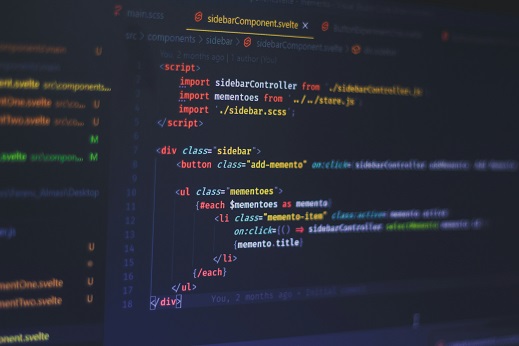
Developer tools are software applications that assist developers in the creation, debugging, and maintenance of applications. They play a crucial role in the software development lifecycle, allowing developers to be more efficient, ensuring that projects are delivered on time and within budget. For beginners, understanding and utilizing these tools can significantly enhance their coding experience and improve overall productivity.
In the world of software development, various types of developer tools exist to cater to different phases of the development process. Some essential categories include source code editors, integrated development environments (IDEs), version control systems, and debugging tools. Source code editors like Visual Studio Code and Sublime Text provide a user-friendly interface where developers can write and edit their code efficiently. IDEs, such as IntelliJ IDEA and Eclipse, offer comprehensive environments that combine code editing, debugging, and other functionalities all in one place.
Version control systems, such as Git and GitHub, are indispensable for both beginner and experienced developers. They enable users to track changes in their code, collaborate with others, and manage different versions of projects seamlessly. Debugging tools, on the other hand, help in identifying and resolving errors in the code, which is vital for ensuring the stability and functionality of applications.
Utilizing these tools not only helps streamline the coding process but also elevates a beginner’s learning curve. By familiarizing themselves with such essential developer tools, novices can reduce time spent on mundane tasks and focus on the creative aspects of programming. This foundational knowledge lays the groundwork for building more complex applications in future endeavors.
Version Control Systems: The Backbone of Collaboration
Version control systems (VCS) are essential tools for developers, playing a crucial role in managing code changes. Among various systems, Git stands out as the most widely used and recognized platform. Its significance extends beyond simple code tracking; it enables collaboration between multiple developers, ensuring that team members can work simultaneously without overwriting each other’s contributions.
Learning Git equips beginners with necessary skills that will enhance their coding workflow. The ability to track changes in files, revert to previous versions, and branch out for experimental features without disturbing the main codebase are just a few advantages that Git offers. These functionalities are vital for maintaining code integrity as projects evolve over time.
For beginners, mastering the fundamental commands of Git is essential. Core commands such as git init for initial repository setup, git add for staging files, and git commit for saving changes are the building blocks of effective version control. Furthermore, understanding git pull and git push commands allows developers to synchronize their local repositories with remote ones, which is a critical requirement for teamwork.
Moreover, using branching effectively is another vital aspect of version control that beginners should learn. Branching enables developers to diverge from the main codebase to work on features or bug fixes independently, which can then be merged back into the main branch through a structured process. This not only fosters an organized workflow but also minimizes the risk of introducing bugs into the main application.
In conclusion, mastering version control systems, particularly Git, is indispensable for beginners entering the development field. By harnessing the power of Git, new developers can ensure smoother collaboration, improved code maintenance, and enhanced project management, laying a solid foundation for their future programming endeavors.
Integrated Development Environments (IDEs) and Code Editors
In the ever-evolving landscape of software development, Integrated Development Environments (IDEs) and code editors serve as indispensable tools for beginners embarking on their coding journeys. These tools provide a range of features that facilitate coding in various programming languages, making the learning process more accessible and efficient.
One of the primary advantages of IDEs is their comprehensive environment, which typically includes a code editor, a debugger, and tools for building and packaging applications. For beginners, the inclusion of debugging tools is particularly beneficial, as they allow users to step through code and inspect variables, helping to identify and rectify issues more effectively. Additionally, many modern IDEs offer code completion features, which suggest code snippets or commands as the user types, streamlining the coding process and reducing errors. This feature is crucial for newcomers who may not yet be familiar with syntax or available functions.
The user interface design of an IDE is another crucial factor for beginners. A clean, intuitive layout can significantly ease the transition into programming. IDEs such as Visual Studio Code and PyCharm are highly recommended in 2026 for their customizable interfaces and beginner-friendly features. Visual Studio Code, for example, supports a multitude of extensions and languages, providing a versatile environment for various projects. Meanwhile, PyCharm excels for Python programming, offering excellent support for web development, data science, and more.
Code editors like Atom and Sublime Text also provide lightweight alternatives to traditional IDEs. These editors are particularly appealing to beginners due to their simplicity and focus on writing code without the overhead of additional tools. Choosing between an IDE and a code editor ultimately depends on personal preferences and the specific needs of your projects.
Productivity and Collaboration Tools
In the fast-paced world of software development, productivity and collaboration tools play an indispensable role for beginners. These tools assist developers in organizing projects, managing tasks, and facilitating communication with team members. With the right combination of apps and platforms, novice developers can significantly enhance their workflow efficiency.
Task management platforms such as Trello, Asana, and Jira are essential for tracking project progress. These tools allow developers to create to-do lists, set deadlines, and assign tasks to team members. By using such systems, beginners can visualize workflow, prioritize tasks, and ensure that projects stay on schedule. Moreover, features like Kanban boards or task statuses promote transparency, enabling all team members to remain informed about their individual responsibilities and contributions to project timelines.
Effective communication is critical in collaborative environments. Platforms like Slack, Microsoft Teams, and Discord provide a means for real-time discussions, file sharing, and updates, all of which foster a collaborative culture. These tools can facilitate discussions about project requirements, code reviews, and even troubleshooting issues, creating a more integrated team approach among developers.
Cloud storage solutions such as Google Drive, Dropbox, and OneDrive are also vital for developers. They offer secure storage, easy access, and version control for project files, allowing teams to collaborate on documents and code seamlessly. Cloud storage ensures that all members can access the latest versions of files, thus reducing the risk of miscommunication and errors arising from outdated documents.
By utilizing these productivity and collaboration tools, beginner developers can streamline their workflow, improve communication, and ultimately enhance their development skills. Gaining familiarity with these tools not only bolsters individual efficiency but also contributes to the overall success of team projects.