
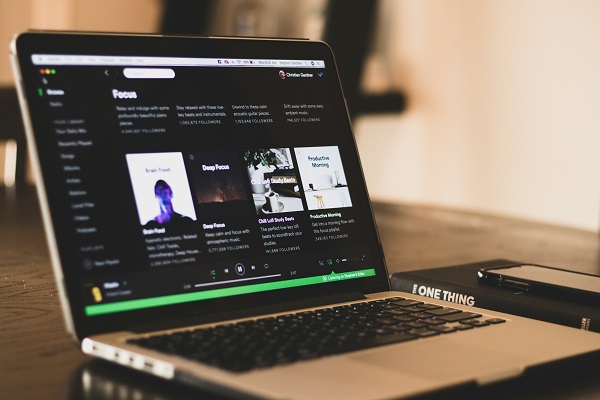
In today’s fast-paced world, the demands placed on individuals whether in a professional or personal context can often feel overwhelming. As a result, Best Productivity Apps and focus apps have emerged as essential tools that assist people in managing their time more effectively and enhancing their concentration. These applications leverage technology to streamline tasks and facilitate better organization, allowing users to tackle both daily responsibilities and long-term projects with greater proficiency.
The importance of these tools is underscored by the reality of modern life, which is frequently characterized by distractions and interruptions. With notifications from smartphones, social media temptations, and the proliferation of information, maintaining focus is a challenge many face. Consequently, productivity and focus apps serve as valuable resource management tools designed to help users carve out time for their priorities while minimizing distractions.
Moreover, the best productivity apps come equipped with a range of features, enabling users to customize their experience according to their specific needs. Whether it’s through task lists, time tracking, or even mindfulness and focus sessions, these apps encourage users to develop better habits and optimize their schedules. This adaptability is vital, as different individuals have varying methods for achieving peak performance.
Overall, the burgeoning category of productivity and focus apps heralds a shift towards more structured and intentional workflows. By utilizing these tools, individuals can take better control of their time and attention, ultimately fostering an environment conducive to heightened efficiency and overall success. In the sections that follow, we will delve deeper into the top ten productivity and focus apps available today, each selected for its ability to enhance user experience and effectiveness.
Criteria for Choosing Productivity Apps
Selecting the best productivity and focus apps requires careful consideration of various factors that can significantly influence user experience and effectiveness. One of the primary criteria is usability; the app should have an intuitive interface that allows users to navigate easily and access core functions without hassle. A well-designed user experience promotes efficient workflow, encouraging users to engage with the app regularly.
Another essential factor is the features offered by the app. Different productivity apps may provide a range of functionalities such as task management, time tracking, or collaboration tools. Users should assess which features align with their individual needs and work habits. Furthermore, app compatibility with various devices and operating systems is crucial. An ideal productivity app should be accessible on smartphones, tablets, and desktop computers, enabling seamless transitions across devices.
Integration capabilities with other tools are also a significant consideration. Many productivity apps enhance their value when they can connect with existing software solutions, including calendars, email, or project management platforms. This interoperability can streamline workflows and reduce repetitive tasks. Additionally, examining user reviews is important for gauging the app’s effectiveness and performance in real-world scenarios. Genuine feedback from current users can reveal insights into potential drawbacks or highlight strengths that may not be immediately apparent.
Finally, pricing options should not be overlooked when choosing a productivity app. There are free, freemium, and subscription-based models available, each presenting different value propositions. Evaluating the cost in relation to the features offered will aid users in making an informed decision that best suits their budget and productivity needs. By weighing these criteria, individuals can find productivity apps that truly enhance focus and efficiency.
Top 5 Productivity Apps for Task Management
In the realm of productivity and task efficiency, numerous applications have emerged, each tailored to enhance user experience in task management. Here, we bring forth five of the best productivity apps that stand out due to their unique features and advantages.
1. Todoist: Widely regarded as one of the best applications for task management, Todoist offers a minimalist design paired with robust features. Users can create, organize, and prioritize tasks seamlessly. The ability to set deadlines, recurring tasks, and subtasks aids users in keeping track of their workload. Additionally, integrations with tools like Google Calendar significantly bolster its utility.
2. Asana: Popular among teams, Asana excels at managing projects and tasks collaboratively. It allows users to create a project, assign tasks to team members, and track progress visually through different views such as lists or boards. This collaborative feature makes it ideal for teams managing multiple projects simultaneously.
3. Trello: Known for its card-based organization system, Trello enables users to manage tasks through a board and card system. This visual approach is particularly beneficial for users who prefer a more interactive task management experience. The flexibility to customize boards based on personal workflow enhances its appeal for individuals and teams alike.
4. Microsoft To Do: For those already within the Microsoft ecosystem, Microsoft To Do offers seamless integration with other Microsoft applications. It features a straightforward interface that allows users to create lists, set reminders, and mark tasks as complete. Its smart suggestions feature also helps prioritize daily activities.
5. Any.do: This app combines task management with calendar features, enabling users to plan not only their tasks but their schedule as well. Any.do stands out with its voice entry option, allowing users to add tasks quickly, making it particularly useful for on-the-go input.
Each of these productivity applications provides unique advantages for task management. By utilizing features that suit specific needs, users can significantly enhance their productivity.
Best Focus Apps to Enhance Concentration
In today’s fast-paced world, maintaining concentration can be a challenging task. Fortunately, various apps designed specifically to enhance focus have come to the forefront, making it easier for users to minimize distractions and boost productivity. One of the standout applications in this arena is Focus@Will, which utilizes scientifically optimized music tracks to foster an environment conducive to concentration. The app tailors music selections to individual preferences and tasks, effectively helping users remain in the zone for extended periods. Research indicates that listening to carefully curated music can significantly improve focus and reduce background distractions, making Focus@Will a valuable addition to any productivity toolkit.
Another notable app is Forest, which promotes focus through a unique approach that gamifies the act of staying on task. Users can plant a virtual tree when they choose to concentrate, and as long as they resist the urge to check their phone, the tree grows. However, if the user leaves the app, the tree dies—a creative incentive to stay focused and away from distractions. This engaging concept not only encourages users to manage their time effectively but also contributes to a more enjoyable experience as users can cultivate a virtual forest over time.
Both Focus@Will and Forest exemplify how technology can be leveraged to create better working conditions and promote an atmosphere that boosts focus. By addressing common obstacles such as notifications and overwhelming information via these apps, users can enhance their productivity and achieve their goals more effectively. Investing in focus-enhancing applications is a proactive step toward more efficient work habits, ultimately leading to improved personal and professional outcomes. Incorporating these tools into daily routines can foster a significant positive shift in productivity and concentration.
Apps for Time Management and Scheduling
Effective time management and scheduling are essential for maintaining productivity and focus in both personal and professional settings. Several applications have emerged as invaluable tools to assist users in organizing their time efficiently and balancing multiple responsibilities. Among these, Trello and Google Calendar stand out for their user-friendly interfaces and robust functionalities.
Trello is a project management tool that employs a card-based system to help users visualize their tasks and goals. By utilizing boards for individual projects, users can create lists of tasks, assign due dates, and prioritize activities. This method not only increases accountability but also allows for a clear view of progress on various assignments. Trello’s versatility makes it suitable for both collaborative and solo projects, ensuring that users can manage their time effectively without becoming overwhelmed by their to-do lists.
On the other hand, Google Calendar excels in scheduling and time allocation. As a cloud-based application, it supports integration across all devices, making it readily accessible for users on the go. Google Calendar allows users to set reminders, block off time for specific tasks, and share calendars with team members. This feature is especially beneficial for group projects, as it fosters coordination and ensures that all participants are aware of deadlines and meetings. Additionally, the appointment slots functionality makes it easy to schedule interactions without the back-and-forth of emails.
Overall, apps like Trello and Google Calendar streamline the time management process, making it simpler for individuals to prioritize tasks, set timelines, and communicate effectively. By incorporating these tools into daily routines, users can enhance their productivity and mitigate the stress often associated with balancing multiple responsibilities.
Collaboration Apps for Team Productivity
In today’s fast-paced work environment, effective collaboration is paramount for enhancing team productivity. Several specialized applications have emerged to facilitate communication and streamline workflows among team members, ultimately leading to improved collective output. Tools such as Slack and Microsoft Teams have gained immense popularity, primarily due to their robust features designed to foster teamwork.
Slack is a powerful messaging platform that enables users to create channels for specific topics or projects, making it easier for teams to organize conversations and share pertinent information. This structured communication helps reduce email clutter and ensures that all team members are aligned on goals. The application also integrates with numerous third-party services, allowing teams to centralize their tools and resources in one place. Such integration not only simplifies access to important documents but also enhances overall efficiency.
On the other hand, Microsoft Teams offers a comprehensive solution, combining chat, video conferencing, and file sharing within a single interface. This seamless blend of features allows teams to communicate in real-time, conduct virtual meetings, and collaborate on documents simultaneously. Microsoft Teams also supports integration with other Microsoft 365 applications, creating a unified workspace that maximizes productivity and minimizes downtime.
Both Slack and Microsoft Teams empower teams to foster open communication, facilitate quick feedback, and enhance transparency throughout the project lifecycle. By leveraging these collaboration apps, organizations can significantly boost their operational efficiency, break down silos, and ensure that every team member contributes to shared objectives. As remote work becomes increasingly prevalent, the importance of these tools in enhancing team cohesion and productivity cannot be overstated.
Mindfulness and Well-being Apps for Improved Focus
In the fast-paced world of today, maintaining focus can often feel like a daunting task. Many individuals are turning to mindfulness and well-being apps to enhance their concentration and improve mental health. These applications serve as valuable tools, providing users with techniques and resources to incorporate mindfulness into their daily lives. Notably, apps like Headspace and Calm have emerged as frontrunners in this category.
Headspace, renowned for its user-friendly interface and engaging content, offers guided meditations specifically designed to bolster focus and productivity. Each session is tailored to fit various time constraints and experience levels, allowing users to seamlessly integrate mindfulness practice into their busy routines. By participating in regular meditation, individuals can experience reduced stress levels, which directly contributes to enhanced focus.
Similarly, Calm promotes mental well-being through a diverse range of guided meditations, soothing soundscapes, and sleep stories. The app emphasizes the importance of relaxation in fostering better concentration. Techniques such as deep breathing and visualization are made accessible through its easy-to-follow instructions, empowering users to reclaim their focus, especially during high-pressure tasks.
Research has shown that the practice of mindfulness leads to improved cognitive function, including better memory and attention span. Moreover, these apps often provide reminders and tracking features, helping users stay committed to their mindfulness journey. By consistently engaging with these well-being apps, individuals can cultivate a habit that not only aids in concentration but also promotes overall mental resilience.
Ultimately, embracing mindfulness through dedicated apps like Headspace and Calm can contribute significantly to productivity. By enhancing focus and fostering a sense of calm, users are better equipped to tackle their daily challenges and goals with clarity and purpose.
Integrating Productivity Apps into Daily Routines
Incorporating productivity and focus apps into daily routines can significantly enhance efficiency and effectiveness. A structured approach to integrating these tools is essential to maximize their benefits. The first step involves setting clear and achievable goals. By defining specific objectives, users can tailor their app usage to support these aims effectively. For instance, if the goal is to increase daily writing output, selecting a dedicated writing application can pave the way for better concentration and time management.
Establishing habits also plays a crucial role in successfully employing productivity apps. Users should aim to create a consistent routine that includes app usage at specific times of the day. This could mean setting aside certain hours exclusively for focused tasks, allowing the apps to serve as valuable aids during these sessions. Regular use during designated time blocks not only fosters habit formation but also enhances mental discipline over time.
Furthermore, building a comprehensive daily schedule is essential. By integrating app usage into an organized plan, individuals can ensure that they allocate time for both work and relaxation adequately. Utilizing calendar applications or task management tools can streamline this scheduling process. These tools enable users to visualize their tasks and deadlines, ultimately creating a balanced routine that promotes productivity without overwhelming the user.
Additionally, fostering a distraction-free environment plays an integral role in leveraging productivity apps. Transitioning to a workspace that minimizes interruptions can exponentially increase focus levels. In this context, certain apps offer functionalities designed to block distracting websites or limit notifications from other applications. Such features allow users to immerse themselves fully in their tasks, fostering greater output.
In essence, with the right strategies in place, productivity and focus apps can be seamlessly integrated into daily life, paving the way for more structured and productive routines.
Conclusion and Recommendations
In an era characterized by constant distractions and the overwhelming amount of information available, leveraging technology to enhance productivity and maintain focus has never been more critical. The apps discussed in this blog post represent some of the most effective tools available, tailored to meet the diverse needs of users ranging from students to professionals and freelancers.
For students, applications that help in managing tasks and studying can significantly improve academic performance. Tools like Todoist and Notion not only assist in organizing assignments but also allow users to create efficient study schedules. This organized approach can minimize stress and enhance academic success.
Professionals, on the other hand, benefit from apps like Trello and Slack that promote collaboration and project management within teams. These tools streamline communication, track progress, and ensure that all team members are on the same page, ultimately boosting overall productivity in the workplace.
Freelancers often juggle multiple projects simultaneously and therefore require apps that not only help in task management but also facilitate time tracking and invoicing. Applications like Harvest or Toggl are excellent for this demographic, allowing them to effectively monitor their time and manage billing with ease.
Ultimately, the choice of a productivity app should align with individual workflows and specific needs. Whether one requires a straightforward task manager, a comprehensive project management tool, or a robust collaboration platform, the best apps enhance focus and facilitate efficient working habits. We recommend experimenting with different applications to determine which ones resonate most effectively with personal usage patterns and requirements. Embracing the right productivity and focus app can catalyze improvements in efficiency and overall performance, yielding significant long-term benefits.