
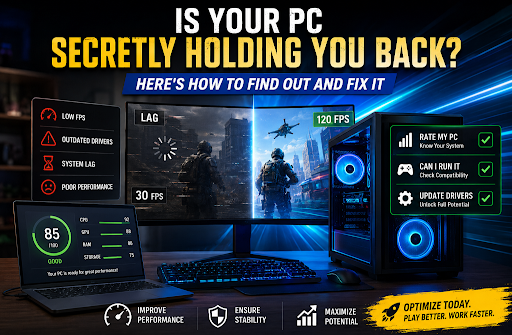
You’ve been there. You download the latest blockbuster game, hit “Play,” and… stuttering. Lag. Frame rates that drop so low you feel like you’re watching a slideshow instead of playing. Or maybe you’re a video editor, and your timeline keeps freezing mid-project. A 3D animator watching renders crawl at a snail’s pace. A student whose laptop can barely handle a video call and a few browser tabs at the same time.
The frustration is real. And in 2026, with PC hardware evolving faster than ever, the gap between what your system can do and what it’s actually doing has never been wider.
According to Steam’s July 2026 hardware survey, 16GB VRAM graphics cards have officially surpassed 8GB models for the first time, while 8-core CPUs have overtaken 6-core processors as the new standard. Gaming rigs are getting more powerful, but if your drivers are outdated, your system isn’t running at its full potential. NVIDIA has even announced that October 2026 will be the last month with Game Ready Drivers for Windows 10, meaning users still on older operating systems will soon miss out on crucial performance optimizations.
The good news? You don’t need to buy new hardware to close that gap. You just need to know where you stand, and what to do next.
Step One: Rate Your PC and Know Where You Stand
Before you can fix a problem, you need to understand what you’re working with. Most people have only a vague idea of their PC’s capabilities. They know it’s “slower than it used to be” or that “some games don’t run well,” but they can’t pinpoint why.
That’s where a proper system assessment comes in. IObit’s rate my PC tool gives you a clear, actionable picture of your system’s gaming performance. It analyzes your processor, graphics card, and RAM against a database of thousands of popular games, then calculates compatibility scores that tell you exactly which titles your PC can handle, and at what settings.
No more guessing. No more buying games only to discover they’re unplayable on your machine. Just straightforward answers: What can my PC actually run?
The assessment process is simple. The tool pulls your system specifications, CPU, GPU, RAM, operating system, and available storage, and compares them against real-world game requirements. It shows you which components meet or exceed recommended specs and which ones are falling short. For gamers, this is invaluable. But even if gaming isn’t your priority, knowing your system’s performance baseline helps you make smarter decisions about upgrades, software purchases, and daily workflows.
Step Two: Can I Run It? The Compatibility Check
Once you know your system’s overall rating, the next question is more specific: Can I run this particular game or application?
IObit’s Can I run it tool answers that question in seconds. It’s a dedicated game system requirements checker that lets you search for any game and instantly see whether your PC meets the minimum and recommended specifications. The tool evaluates CPU, GPU, RAM, operating system, DirectX version, and available storage space, then provides a detailed compatibility report.
What makes this tool particularly useful is its precision. It doesn’t just give you a vague “yes” or “no.” It shows you exactly which components meet the requirements and which ones fall short. If your graphics card is below the recommended spec but your processor is more than adequate, you’ll know. If your RAM is the bottleneck, you’ll see it clearly.
For gamers, this means no more disappointment. For professionals, it means confidence that your system can handle the software you need. And for anyone considering an upgrade, it provides the data you need to make informed decisions about where to invest your money first.
Step Three: Update Drivers and Unlock Your System’s True Potential
Now comes the most important part. You’ve rated your PC. You’ve checked your game compatibility. And perhaps you’ve discovered that your system isn’t performing as well as it should. What now?
The answer is surprisingly simple: update drivers .
Outdated drivers are one of the most common, and most overlooked, causes of poor system performance. Drivers are the translators between your Windows operating system and your hardware: graphics cards, sound chips, network adapters, printers, and more. When they’re outdated, missing, or corrupted, things go wrong. Games stutter. Audio crackles. Wi-Fi drops. Printers refuse to cooperate. And in some cases, your entire system crashes.
IObit’s Driver Booster automates the entire driver update process. With one click, it scans your system, identifies outdated, missing, or malfunctioning drivers, and installs the latest manufacturer-certified versions. Its database supports over 9.5 million drivers and game components, covering a vast range of hardware from major brands.
For gamers, Driver Booster offers a Game Ready driver database and a Game Boost feature that can improve gaming performance by up to 5%. For professionals, updated drivers can increase performance in design software like SolidWorks by as much as 32%. And for everyone, the automatic backup and restore feature provides peace of mind, if a new driver installation causes issues, you can roll back to the previous version instantly.
Every driver update goes through double verification from WHQL and IObit’s own security testing, ensuring that updates are both safe and reliable. And with the free version, you can scan your system and update one driver per day at no cost.
The Complete Workflow: From Assessment to Optimization
Here’s the smart approach for anyone who wants to get the most out of their PC:
Step One: Use rate my PC to understand your system’s overall gaming capabilities. Get a clear picture of where your hardware stands and which games your PC can handle.
Step Two: Use Can I run it to check specific games or applications. Verify compatibility before you buy, and identify which components might be holding you back.
Step Three: Use Driver Booster to update drivers across your entire system. Eliminate performance bottlenecks, fix stability issues, and unlock your hardware’s full potential.
Together, these three tools form a complete performance optimization workflow. One assesses your system. One checks specific compatibility. And one delivers the driver updates that make everything run smoother, faster, and more reliably.
The Bottom Line
Your PC has more potential than you might realize. Outdated drivers, unknown compatibility issues, and unclear system assessments are quietly holding back your performance. But with the right tools, you can diagnose the problem and fix it in minutes.
IObit’s Rate My PC, Can I Run It, and Driver Booster are free, easy to use, and designed to help you understand and optimize your system. Rate your hardware. Check your compatibility. Update your drivers. And experience the difference when your PC is finally running at its best.
Give your system the care it deserves. You’ll notice the difference from the very first click.