
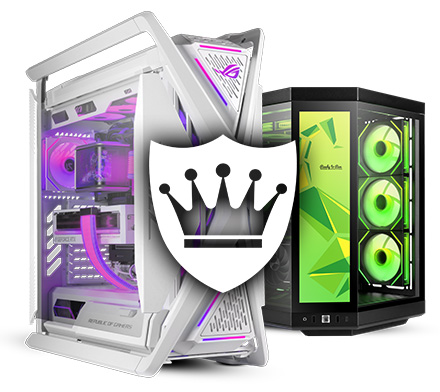
Choosing the right gaming pc is crucial for achieving optimal performance and an immersive gaming experience. With the vast array of components and specifications available, understanding the essential features can help buyers make informed decisions that match their gaming needs and budget.
Processor (CPU)
The processor is the central component that affects the overall speed and responsiveness of a gaming PC. Modern games often require multi-core processors to handle complex computations and physics simulations efficiently. When selecting a gaming PC, it is advisable to opt for a high-performance CPU from reputable brands such as Intel or AMD, with at least four to six cores and a high clock speed to ensure smooth gameplay.
Graphics Card (GPU)
The graphics card is arguably the most critical component for gaming performance. It is responsible for rendering images, videos, and animations. A powerful GPU enables higher frame rates, better resolution, and enhanced visual effects. Gamers should look for dedicated graphics cards from manufacturers like NVIDIA or AMD, with sufficient video memory (VRAM) to support the latest games at desired settings.
Memory (RAM)
Random Access Memory (RAM) plays a vital role in multitasking and game performance. Insufficient RAM can lead to stuttering and longer load times. For modern gaming, a minimum of 16GB RAM is recommended to accommodate the operating system, background applications, and the game itself without performance degradation.
Storage Solutions
Storage affects not only the capacity to hold games and files but also the speed at which games load. Solid State Drives (SSDs) are preferred over traditional Hard Disk Drives (HDDs) due to their faster data access speeds. A combination of SSD for the operating system and frequently played games, along with an HDD for additional storage, offers an optimal balance between speed and capacity.
Motherboard Compatibility
The motherboard must be compatible with the chosen CPU, GPU, and RAM. It also determines the expandability options such as additional RAM slots, PCIe slots for multiple GPUs, and connectivity ports. Selecting a motherboard with quality components and sufficient features ensures future upgrades and stability.
Power Supply Unit (PSU)
A reliable power supply unit is essential to provide consistent and adequate power to all components. It should have enough wattage to support the gaming PC’s hardware, with some headroom for potential upgrades. Additionally, a PSU with an 80 Plus certification indicates energy efficiency and better build quality.
Cooling System
Effective cooling is necessary to maintain optimal temperatures and prevent thermal throttling during extended gaming sessions. Gaming PCs should include quality fans, heat sinks, or liquid cooling solutions depending on the hardware configuration. Proper airflow within the case also contributes to efficient cooling.
Display Connectivity
To fully utilise the capabilities of a gaming PC, it is important to consider the available display outputs such as HDMI, DisplayPort, or DVI. These ports determine compatibility with monitors and support for high refresh rates and resolutions, which are vital for a smooth gaming experience.
Case and Build Quality
The physical case protects internal components and influences airflow and cooling. A well-designed case with sufficient space can accommodate larger GPUs and additional cooling solutions. Durable materials and dust filters contribute to longevity and maintenance ease.
Networking Capabilities
Online gaming demands stable and fast internet connections. A gaming PC should include a high-quality Ethernet port and support for the latest Wi-Fi standards to ensure minimal latency and uninterrupted gameplay.
Operating System
The choice of operating system affects game compatibility and performance. Most gaming PCs run on Windows due to its broad support for games and gaming peripherals. Ensuring the operating system is up to date enhances security and access to the latest features.
Peripherals and Expandability
While the core components determine gaming performance, peripherals such as keyboards, mice, and headsets also contribute to the overall experience. Additionally, the ability to upgrade components like RAM, storage, or GPU in the future is a valuable consideration for longevity.
Warranty and Support
Purchasing a gaming PC from a reputable supplier that offers warranty and technical support provides peace of mind. It ensures assistance in case of hardware issues and access to expert advice for maintenance or upgrades.
Budget Considerations
Balancing performance and cost is essential. Buyers should prioritise components that have the greatest impact on gaming performance while considering their budget constraints. Investing in a well-rounded system avoids bottlenecks and ensures a satisfying gaming experience.
Conclusion
In summary, selecting a gaming PC with the right combination of processor, graphics card, memory, storage, and other features is vital for optimal performance. Attention to compatibility, cooling, power supply, and expandability further enhances the gaming experience. By carefully evaluating these essential features, gamers can ensure their system meets current demands and remains capable of handling future titles.