
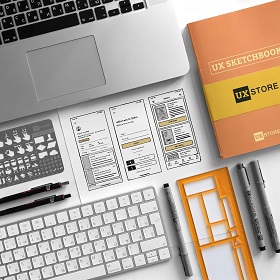
User Interface (UI) and User Experience (UX) design are critical components in the development of digital products. These disciplines focus on creating intuitive, effective, and aesthetically pleasing interfaces that enhance user interaction and satisfaction. For beginners in the design industry, utilizing appropriate UI/UX design tools is pivotal. These tools not only facilitate the creation of prototypes but also help in visualizing the overall look and feel of a product.
The right UI/UX design tools can significantly streamline the design process. They allow designers to experiment with various concepts and ideas rapidly, reducing the time taken to reach a viable solution. This efficiency is particularly beneficial for beginners who may still be mastering foundational design skills. Additionally, many of these tools offer features that enhance collaboration. For budding designers working in teams, the ability to share projects and gather feedback in real-time is invaluable. This collaborative aspect promotes learning and improves the final product by incorporating diverse perspectives.
Furthermore, the accessibility of UI/UX design tools plays a crucial role in fostering creativity. Beginner designers often face steep learning curves when transitioning from theory to practical application. A user-friendly UI/UX design tool can ease this transition, making it easier for novices to express their creativity without overwhelming technical barriers. Tools that feature intuitive interfaces and provide ample learning resources can significantly impact a beginner’s ability to use them effectively.
In summary, understanding the significance of UI/UX design tools is fundamental for beginners in the design field. By selecting the right tools, designers can enhance their creativity, streamline processes, and collaborate more effectively, paving the way for successful digital product development.
Key Features to Look for in UI/UX Design Tools
When selecting UI/UX design tools, beginners should prioritize several key features that enhance both usability and efficiency in the design process. One of the foremost considerations is user-friendliness. A tool that offers an intuitive interface allows beginners to dive into their design projects without the steep learning curve associated with more complex software. Hence, opt for tools that include tutorials and guided workflows to streamline the onboarding process.
Integration capabilities are equally crucial. A UI/UX design tool that seamlessly integrates with other software solutions, such as project management systems and collaborative platforms, increases productivity. Look for tools that support plugins or have APIs that allow for smoother transitions between various tools you might be using.
Prototyping options are another vital feature. The ability to create interactive prototypes helps designers visualize their concepts in action. Tools that allow for quick iteration and modifications facilitate a more agile design process. Additionally, beginners should seek collaboration tools that accommodate real-time feedback and team communication, which is essential for refining designs based on user input.
Asset libraries are also important to consider. A comprehensive library containing components, icons, and templates can significantly speed up the design process, providing a platform that fosters creativity without reinventing the wheel for every project.
Moreover, responsive design features have become critical as user interactions occur across various devices. Ensuring that a design tool has capabilities that allow for easy adaptation to different screen sizes and orientations is imperative.
Finally, the ability to test user interactions is invaluable. Look for systems that offer built-in user testing features to gather insights and validate design choices effectively. By focusing on these essential features, beginners can choose UI/UX design tools that cater to their needs and enhance their learning experience.
Top Recommended UI/UX Design Tools for Beginners in 2026
As the digital landscape continues to evolve, having access to the right UI design tools is essential for beginners looking to make their mark in the industry. Here, we present a curated selection of the best tools available in 2026, each offering unique features tailored to novice designers.
Figma stands out as a collaborative interface design tool that enables real-time teamwork, which is crucial for beginners. Its intuitive drag-and-drop features and a vast library of design components make it easy to create wireframes and prototypes. The free plan allows beginners to get acquainted with its capabilities without financial commitment, while the premium plans offer advanced features as they’re ready to scale.
Adobe XD is another highly recommended tool for beginners, offering a streamlined interface that is easy to understand. This tool excels in creating interactive prototypes, allowing users to design and test quickly. Its integration with other Adobe products makes it a bygone choice for those already in the Adobe ecosystem. It offers a free starter plan, which is quite useful for individuals beginning their design journey.
Sketch remains a favorite among many designers, especially for macOS users. Its vector-based design capabilities are top-notch, encouraging precision and flexibility in design creation. Sketch’s robust plugin ecosystem enhances its functionality, ensuring that beginners can find tools to suit their specific needs. Although it requires a subscription, its powerful features justify the expense for those serious about UI/UX design.
InVision is particularly ideal for beginners wanting to focus on prototyping and user testing. Its user-friendly interface allows designers to create clickable prototypes effortlessly. InVision’s free plan encourages designers to explore basic features, and as their skills develop, they can opt for paid plans with more advanced functionalities.
Each of these tools—Figma, Adobe XD, Sketch, and InVision—presents unique benefits tailored for beginners in UI/UX design. Selecting the right one depends on personal preferences and future requirements in their design career.
Tips for Getting Started with UI/UX Design Tools
As a beginner in the realm of UI design tools, navigating through an array of design tools can be daunting. However, a structured approach will enable you to maximize your learning experience efficiently. First, it is essential to familiarize yourself with the basic concepts and terms associated with UI/UX. Online tutorials and introductory courses are excellent starting points. Platforms such as Coursera, Udemy, and even YouTube offer a plethora of resources tailored for beginners. These resources often cover essential design principles, making it easier to grasp the functionality of various design tools.
In addition to free online resources, joining design communities can significantly enhance your learning curve. Websites like Behance and Dribbble feature a community of designers who share their work, processes, and insights. Engaging with these platforms allows you to receive constructive feedback and inspiration from your peers. Moreover, consider participating in forums such as Reddit or specialized UI/UX discussion boards to ask questions and share your experiences. Networking within these communities can open doors to collaboration opportunities, which are crucial for iterative learning.
Another best practice is to embrace the design thinking process. Start with empathy for the user, clearly define the problems you are aiming to solve, and ideate solutions through brainstorming sessions. Utilize wireframing and prototyping tools available in your UI/UX design toolkit to visualize your ideas. Remember that iteration is key; regularly seek feedback from users and peers, as it allows you to refine your designs effectively. By establishing a feedback loop, you will enhance your skills significantly and develop a strong foundation in UI/UX design.