
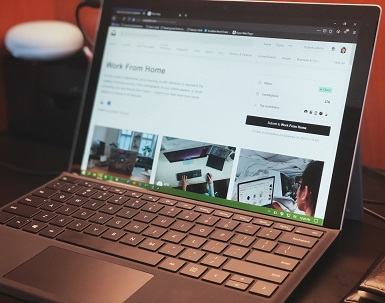
Remote work software has become an increasingly prominent working model in recent years, driven largely by technological advancements and changing workforce dynamics. With the rise of digital communication platforms and widespread internet access, professionals can now connect with colleagues and clients from virtually anywhere in the world. However, this shift toward remote work does come with its own set of challenges, necessitating the use of sophisticated software tools designed to enhance productivity and collaboration.
One of the main challenges faced by remote workers is maintaining effective communication across dispersed teams. Traditional face-to-face interactions are often limited, which can result in misunderstandings and project delays. Software tools such as instant messaging applications, video conferencing platforms, and collaborative document editing services help bridge this gap, ensuring that teams remain connected and informed, regardless of their physical locations.
Furthermore, remote workers must often navigate the complexities of time management and task prioritization. The absence of a structured office environment can lead to distractions and decreased focus. To address this, various project management tools and time-tracking applications are available to assist workers in organizing their tasks, setting deadlines, and monitoring their progress. These tools not only increase individual accountability but also foster a culture of transparency within remote teams.
As remote work continues to evolve, the reliance on software tools becomes increasingly critical. These applications not only streamline workflows but also enhance collaboration and communication among team members. Adopting the right tools is essential for any organization to thrive in a remote work setting, empowering employees and enabling teams to achieve their goals efficiently and effectively.
Communication Tools: Staying Connected
In the era of remote work, effective communication is paramount for teams to collaborate successfully. Several software tools have emerged to facilitate such interactions, helping remote workers bridge the gap imposed by physical distance. Three of the most widely adopted platforms are Slack, Microsoft Teams, and Zoom.
Slack is a popular messaging platform that provides a flexible workspace for teams. It allows users to create channels based on topics, projects, or teams, thereby organizing conversations effectively. Additionally, its integration capabilities with numerous applications, such as Google Drive and Trello, enhance productivity by streamlining workflows. However, one limitation is that the free version retains only a limited message history, which may hinder access to past discussions.
Microsoft Teams is part of the Microsoft 365 suite and offers a robust solution for communication and collaboration. It provides chat, audio, and video calling features, alongside file sharing and document collaboration directly within the app. Teams is particularly beneficial for organizations already using Microsoft software, enabling seamless integration with tools like Word and Excel. Nevertheless, its user interface can be overwhelming for newcomers due to its extensive features.
Zoom has gained immense popularity as a video conferencing tool, especially during the recent shift towards remote work. Its high-quality video and audio capabilities make it an ideal choice for online meetings. Zoom’s breakout room feature further allows smaller group discussions within larger meetings, which enhances collaboration. However, concerns regarding security and privacy have emerged, prompting the need for users to stay updated on best practices to protect their information.
By leveraging these communication tools, remote workers can maintain strong connections with colleagues, ensuring that collaboration remains effective and efficient, regardless of location.
Project Management Software: Keeping Everyone on Track
In today’s remote work environment, project management software plays a vital role in enabling teams to collaborate effectively, even across significant distances. These tools streamline workflows, monitor progress, and ensure that all team members remain aligned with project objectives. Among the most popular choices are Trello, Asana, and Monday.com, each offering unique features that cater to different project management needs.
Trello employs a visual approach to project management, utilizing boards, lists, and cards to help users organize tasks. Its intuitive drag-and-drop interface allows team members to easily move tasks through various stages of completion. With features such as deadline tracking, attachments, and integration with other applications, Trello enhances visibility and maintains focus on tasks that require immediate attention. This adaptability makes it suitable for both simple projects and complex workflows.
Asana, on the other hand, offers more structured task management features. It provides users with the ability to create projects, assign tasks, and set deadlines, thus establishing a clear hierarchy of responsibilities. Additionally, Asana supports tracking project milestones and utilizes calendar views to provide an overview of timelines. This organized framework helps remote teams to prioritize effectively and ensures that all team members are aware of their roles in the bigger picture.
Lastly, Monday.com stands out for its highly customizable workflows. Teams can tailor it to meet their specific needs, whether for sales tracking, software development, or marketing campaigns. With its color-coded dashboards and automation capabilities, Monday.com simplifies task management and facilitates quick updates, ultimately fostering collaboration among remote teams. Overall, selecting the right project management software depends on the team’s unique requirements and workflow preferences, but tools like Trello, Asana, and Monday.com are equipped to enhance team productivity significantly.
File Sharing and Collaboration Tools: Working Together Efficiently
In the current landscape of remote work, effective file sharing and collaboration tools are essential for ensuring smooth communication and document management among team members. Leading platforms such as Google Drive, Dropbox, and Microsoft OneDrive have become integral to facilitating this collaboration.
Google Drive is a widely used platform that allows users to store files in the cloud, making them accessible from any device with an internet connection. It supports real-time collaboration, enabling multiple users to work on documents simultaneously. Key features include Google Docs, Sheets, and Slides, which mirror traditional office applications but enhance functionality with the advantage of cloud storage. Additionally, Google Drive adopts robust security measures, such as encryption and multi-factor authentication, ensuring that sensitive information remains protected.
Dropbox, another popular solution, offers a user-friendly interface designed for file sharing and team collaboration. Notable features include file versioning, which enables users to revert to previous versions of documents, and seamless integration with a variety of third-party applications. Dropbox’s Smart Sync feature allows users to manage file space efficiently by storing files in the cloud that can be accessed without consuming local storage. Its comprehensive security framework, which includes advanced encryption and secure sharing options, underscores Dropbox’s reliability.
Microsoft OneDrive provides an excellent alternative for those already integrated into the Microsoft ecosystem. It is particularly beneficial for organizations that utilize Office 365, as it offers deep integration with popular applications such as Word, Excel, and PowerPoint. OneDrive ensures secure document sharing and collaboration through features like file request links and shareable folders, allowing colleagues and clients to access necessary documents efficiently. With its strong emphasis on security practices, including compliance with industry standards, Microsoft OneDrive is a trusted resource for organizations handling sensitive data.
Incorporating these tools into daily workflows can significantly enhance collaboration and productivity among remote workers, enabling them to work together efficiently, irrespective of their geographical location.
Time Management Tools: Boosting Productivity
In today’s fast-paced digital landscape, remote workers face unique challenges in managing their time efficiently. To address these, several time management tools have emerged, offering powerful functionalities to help individuals organize their schedules and enhance productivity. Notably, tools like Toggl, RescueTime, and Clockify have gained immense popularity among remote workers for their effective time-tracking capabilities and features aimed at minimizing distractions.
Toggl is one such tool that allows users to track the time spent on various tasks effortlessly. Its intuitive interface simplifies the process of logging work hours, enabling remote workers to gain insights into how their time is allocated throughout the day. With features like project categorization and reporting, Toggl not only aids in time tracking but also in identifying areas for improvement in productivity.
RescueTime serves a distinct purpose by providing automatic time tracking and analysis. It runs in the background, capturing the amount of time spent on different applications and websites. This automatic tracking helps users to realize how much time is wasted on distractions, thus promoting better time management strategies. Moreover, its detailed reports can guide remote workers in setting goals to enhance focus and prioritize more productive tasks.
Another worthy contender is Clockify, which not only offers time tracking but also includes robust features for managing projects and team collaboration. With its dashboard, remote workers can visualize time spent across various projects and tasks effectively. Clockify also allows for manual time entry for added flexibility, making it a versatile solution for individuals who juggle multiple responsibilities.
Overall, using time management tools such as Toggl, RescueTime, and Clockify can significantly boost productivity for remote workers. These solutions not only help in tracking time but also play a vital role in eliminating distractions, fostering a structured work environment conducive to achieving personal and professional goals.
Virtual Whiteboards and Design Tools: Enhancing Creativity
In the era of remote work, fostering creativity and collaboration can pose unique challenges. However, virtual whiteboards and design tools have emerged as essential platforms for enhancing these collaborative efforts among remote teams. Tools such as Miro, Lucidchart, and Canva enable creative minds to brainstorm, illustrate ideas, and produce visual content effectively.
Miro, for instance, is a dynamic online whiteboard that allows teams to interact in real-time, making it ideal for brainstorming sessions. Users can easily create mind maps, sticky notes, and diagrams, fostering an engaging environment for idea generation. The versatility of Miro ensures that team members can work together even when physically apart, allowing for a seamless flow of creativity.
Lucidchart, on the other hand, is perfect for creating flowcharts, diagrams, and technical drawings. This tool not only enhances visual clarity but also simplifies complex information, making it easier for teams to share processes and ideas. With its intuitive interface, Lucidchart promotes a collaborative atmosphere where team members can contribute to and refine designs collectively.
Canva, renowned for its user-friendly design interface, caters to those looking to create stunning visuals for presentations, social media, or marketing materials. The platform offers a plethora of templates and design elements, ensuring creativity is easily accessible to everyone, regardless of their design expertise. With its collaborative features, teams can edit projects in real-time, ensuring everyone’s input is valued.
These tools not only enhance creative output but also build stronger connections among remote team members. By providing an interactive platform for collaboration, virtual whiteboards and design tools enable teams to engage more deeply, ensuring that creativity flourishes even in a remote setting.
Cybersecurity Tools: Ensuring Safe Remote Work
In today’s digital age, the significance of cybersecurity cannot be overstated, particularly for remote workers. As individuals increasingly conduct business outside traditional office environments, the protection of sensitive information becomes paramount. Cybersecurity tools are essential in creating a secure remote work infrastructure, ensuring that data remains safe from breaches and unauthorized access.
One of the primary tools for enhancing online security is a Virtual Private Network (VPN). A VPN encrypts internet traffic, creating a secure connection between the user’s device and the internet. This is especially important for remote workers who often use public Wi-Fi networks, which can be vulnerable to cyber attacks. By utilizing a VPN, users can safely access company resources while maintaining confidentiality and privacy.
Additionally, antivirus software plays a vital role in protecting against malware, phishing attacks, and other cyber threats. Constantly updated antivirus solutions scan and detect potential threats, providing real-time protection against malicious software that can compromise sensitive information. Regular system scans and updates ensure that remote workers’ devices are equipped to battle the evolving landscape of cyber threats.
Furthermore, password managers are indispensable for securely storing and managing login credentials. With the multitude of accounts that remote workers may have, generating and maintaining complex passwords can be daunting. Password managers simplify this process by storing encrypted passwords, enabling users to effortlessly manage their credentials without the risk of weak, reused passwords.
By implementing these cybersecurity tools—VPNs for secure connections, antivirus software for protection against malware, and password managers for strong password management—remote workers can significantly mitigate risks associated with remote work. Collectively, these solutions foster a secure digital environment, ensuring that employees can perform their responsibilities effectively while safeguarding sensitive information.
Remote Work Best Practices: How to Utilize Software Effectively
In the realm of remote work, the effective utilization of software tools plays a crucial role in ensuring productivity and collaboration among team members. To begin with, establishing a well-defined tech stack is essential. A tech stack refers to the combination of software applications and tools that employees use to communicate, collaborate, and manage tasks. Selecting the right mix of tools that complement each other’s functionalities can greatly enhance operational efficiency. Tools like project management software, communication platforms, and file-sharing services should be assessed for compatibility and integrated seamlessly for optimal performance.
Ensuring team alignment is another significant practice when utilizing software for remote work. Regular check-ins and updates can facilitate synchronized efforts among team members. This can be achieved by leveraging collaboration tools that offer features such as task tracking and shared calendars. Consequently, maintaining transparency around project status and deadlines will promote accountability while enabling teams to work cohesively, despite physical distances.
Moreover, promoting seamless communication is critical for remote workers to stay connected with their peers. Integrating communication platforms such as Slack, Microsoft Teams, or Zoom into the daily workflow can streamline interactions and provide instant access to discussions or meetings. Encouraging video or voice calls, particularly for complex conversations, fosters deeper engagement, enhancing personal connections among team members. Additionally, utilizing shared documents and collaborative editing tools allows for real-time feedback and reduces the time spent on emails or document exchanges.
By implementing these best practices, remote workers can maximize the utility of their selected software tools, leading to enhanced productivity, stronger team alignment, and an overall more efficient remote work experience.
Conclusion: Choosing the Right Tools for Your Remote Workforce
In today’s rapidly evolving work environment, selecting appropriate software tools for remote workers is of utmost importance. As we’ve discussed throughout this post, various tools cater to different aspects of remote work, including collaboration, project management, communication, and time tracking. Identifying the right tools can significantly enhance efficiency and productivity for your remote team.
It is vital to assess the unique needs of your workforce before committing to any software solutions. Factors such as team size, project complexity, and the nature of tasks should influence your decision. Furthermore, the integration capabilities of chosen software with existing systems can improve workflow and reduce friction among team members. Keep in mind that the perfect solution for one organization might not be effective for another due to differing operational styles and objectives.
Evaluating the features and user-friendliness of software tools is also crucial. Tools that facilitate seamless communication and collaboration can improve team cohesion, ensuring that remote workers stay aligned with organizational goals. Additionally, it’s essential to consider training and support provided by software vendors, as a smooth onboarding experience can influence the tool’s overall adoption and effectiveness within the team.
Ultimately, staying flexible and open to adopting new tools can foster a more productive and harmonious work environment. As the landscape of remote work continuously evolves, regularly reassessing your toolkit will serve to keep your team equipped with the solutions necessary to thrive. Choosing the right software tools tailored to your team’s specific needs will not only streamline operations but also enhance the remote work experience for all involved.