
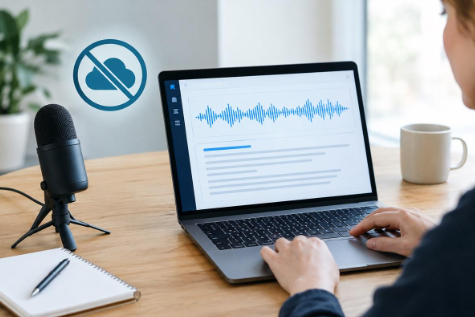
Voice transcription has become an important part of modern digital work. People use speech-to-text tools to write emails, create notes, prepare documents, record ideas, and improve productivity without spending hours typing. However, many transcription services depend on cloud servers, meaning spoken audio must be sent over the internet for processing. This can raise concerns about privacy, internet reliability, and control over sensitive information.
SpeechPulse offers a different approach by enabling speech recognition directly on the user’s device. Instead of continuously sending recordings to a remote server, it can process spoken words locally and convert them into written text. This cloud-free method can be useful for anyone who wants a more private and dependable way to turn speech into text while working offline.
What Is Cloud-Free Transcription?
Cloud-free transcription is the process of converting spoken language into written text without relying on an online server to perform the primary transcription task. Rather than recording speech and uploading it to a cloud platform, the software uses speech-recognition technology installed on the local device. Once the necessary components are available, speech can be processed without requiring an active internet connection.
This approach changes the way users interact with transcription software. The computer handles the conversion from voice to text locally, allowing the resulting words to appear directly in the application where they are being written. Cloud-free processing can reduce dependence on external services while giving users greater control over when and where their speech data is processed.
Cloud-Free Transcription Across Platforms
Cloud-free voice transcription can make speech-to-text more flexible by allowing users to process spoken words directly on their computers. Instead of depending on remote servers, this approach keeps the transcription process local, which can be useful for people who value privacy, work without reliable internet, or simply want a more direct way to turn speech into text.
Whether someone uses Windows or Mac, offline transcription can support everyday tasks such as writing, note-taking, brainstorming, and creating documents. The experience may vary depending on the computer’s hardware and the speech-recognition software being used, but the core advantage remains the same: speech can be converted into text without requiring continuous cloud connectivity.
The following sections explain how this approach can support users across the two major desktop platforms.
1. Offline Speech to Text for Windows
Offline speech to text for Windows allows users to dictate words directly into their computer without relying on an online transcription server. This can be particularly useful when working in locations with limited connectivity or when users prefer to keep voice data on their own devices.
Common uses include:
- Dictating documents and reports
- Writing emails and messages
- Creating meeting or study notes
- Capturing ideas quickly
- Reducing repetitive keyboard work
By processing speech locally, Windows users can maintain a more independent transcription workflow. They can focus on speaking naturally while the computer handles the conversion from audio into editable text.
2. Offline Speech to Text for Mac
Users searching for offline speech to text for Mac can also benefit from a transcription workflow that does not rely on sending voice data to cloud servers. Mac users can speak naturally and use the resulting text for writing, note-taking, brainstorming, and other everyday activities.
An offline approach can be especially valuable when privacy, reliability, and control are important. Instead of making internet access a requirement for every transcription task, local processing allows the computer to handle the speech-recognition process itself. As a result, users can incorporate voice transcription into their workflow while remaining less dependent on online services.
Who Can Use Cloud-Free Transcription?
Cloud-free voice transcription can benefit many people because speech-to-text is useful across professional, educational, and personal activities. Anyone who regularly has ideas to capture or documents to create can potentially use an offline transcription workflow to reduce typing.
Common users include:
- Writers and content creators: Dictate articles, ideas, outlines, and drafts more naturally.
- Students: Turn spoken notes, study thoughts, and recorded ideas into editable text.
- Professionals: Create emails, reports, meeting notes, and project documentation through voice.
- Researchers: Capture observations and thoughts without manually typing every sentence.
- Remote workers: Continue dictating even when internet connectivity is limited.
- Everyday users: Quickly record reminders, personal notes, and spontaneous ideas.
The main advantage is flexibility. Users do not necessarily need specialized recording equipment or a complicated workflow. A compatible computer, microphone, and offline transcription software can provide a practical way to convert speech into text.
How SpeechPulse Turns Speech Into Text Offline?
1. Capturing Your Voice
The first stage is capturing spoken audio through a microphone. SpeechPulse listens to the user’s voice and receives the audio as input. A clear microphone and a relatively quiet environment can help provide cleaner speech for recognition.
This stage is important because transcription quality begins with the quality of the audio being captured. Speaking at a steady pace and positioning the microphone appropriately can help the software distinguish words more effectively, particularly when there is background noise.
2. Processing Speech Locally
After capturing the audio, the offline transcription process handles the speech directly on the computer. Instead of sending the recording to a cloud server for the main recognition task, the local system performs the required processing.
This local approach is the foundation of cloud-free transcription. It means the user’s computer takes responsibility for converting the audio into information that the speech-recognition system can interpret. Performance may vary depending on the device’s hardware and the software’s configuration.
3. Recognizing Spoken Words
The next stage involves speech recognition. The software analyzes the characteristics of the captured speech and uses its recognition technology to identify words and phrases. It then constructs those recognized words into written language.
Speech recognition works best when the speaker is clear and the audio contains minimal interference. Accents, unusual terminology, overlapping voices, poor microphones, and background sounds can influence accuracy, so users may still need to review and correct the generated text.
4. Delivering the Text
Once speech has been recognized, the resulting text can be placed into the user’s workflow. Instead of manually typing each word, the user can speak naturally and allow the transcription system to provide a written version.
This final step turns voice recognition into a practical productivity tool. Whether someone is drafting a document, writing a message, recording an idea, or preparing notes, the ability to move from spoken words to editable text can reduce the effort involved in traditional keyboard-based writing.
Conclusion
Cloud-free transcription provides a practical alternative to speech-recognition services that depend heavily on internet connectivity. By processing speech locally, it can offer important advantages such as improved control over voice data, offline availability, and a more direct workflow. These benefits make local transcription especially appealing for people who value privacy or regularly work without dependable internet access.
SpeechPulse demonstrates how speech-to-text can be integrated into an offline workflow by capturing voice, processing it on the device, recognizing spoken words, and delivering the resulting text. While transcription accuracy still depends on audio quality, hardware, language support, and speaking conditions, the basic concept offers a convenient way to turn speech into text without making the cloud a necessary part of the process.