
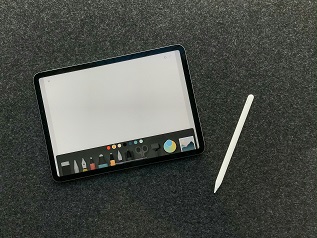
Digital drawing software refers to applications designed specifically for creating artwork and illustrations using a tablet or computer. Unlike traditional drawing methods that rely on physical mediums such as pencil, paint, and canvas, digital drawing allows artists to produce their work in a purely digital format. This shift not only streamlines the creative process but also offers a plethora of advantages that cater to both novice and seasoned artists. One of the significant advantages of digital drawing software is the flexibility and convenience it provides. Artists can easily undo mistakes, experiment with different colors or styles without the need for additional materials, and share their work instantly online. Furthermore, digital tools often come equipped with a variety of features such as layers and filters, which can significantly enhance the overall quality and depth of the artwork.
When exploring digital drawing applications, it is important to understand the two main types: vector and raster. Raster graphics are composed of pixels, making them ideal for detailed and intricate designs, but they can lose quality if resized. Conversely, vector graphics are based on mathematical equations, allowing them to be scaled without any loss in clarity. For beginners, software that supports both types may provide the best of both worlds, though starting with raster drawing software can often be more intuitive for new artists.
For those just embarking on their digital drawing journey, several beginner-friendly options exist. Programs like Krita and Procreate offer user-friendly interfaces alongside a robust set of features tailored for novice users. These applications not only facilitate the learning process but also provide ample tools to experiment and grow one’s artistic skills, ensuring that the transition from traditional to digital drawing is as smooth and enjoyable as possible.
Top Features to Look for in Drawing Software
When selecting drawing software suitable for beginners working with a tablet, several key features should be prioritized to ensure a pleasing and productive experience. The user interface (UI) is of paramount importance; it should be intuitive and easy to navigate. Beginners often benefit from software that minimizes complexity while still providing necessary tools. Software with customizable workspaces can also aid users in arranging their tools and features in a way that suits their individual workflow.
Ease of use is another critical aspect. Beginners may find value in drawing software that offers tutorials or guided onboarding features. This can significantly reduce the learning curve associated with digital drawing. Look for software that provides simple tutorials or a help section, making initial tasks more manageable.
Another essential feature to consider is the variety of brush options available. Different brushes can produce varied textures and styles, which are vital for exploring and developing a unique artistic voice. Drawing software should include a range of brushes, possibly with customization options that allow users to create personalized brushes, thus enhancing creativity.
Layer capabilities are also crucial. Layers enable artists to separate different components of their artwork, facilitating a more organized approach to drawing. With effective layer management tools, beginners can experiment without the fear of ruining their work. Seek software that allows for multiple layers, blending modes, and easy access to layer controls.
Finally, compatibility with different graphics tablets is essential. Drawing software should support various brands and models to accommodate different tablets that beginners may use. This versatility ensures that new users do not face hardware-related constraints while exploring their artistic talents.
Best Drawing Software Options for Beginners
For those venturing into the world of digital art using a tablet, selecting the right drawing software is crucial. Numerous options cater to beginners, focusing on ease of use, accessibility, and essential features to facilitate the creative process. Here is a curated list of some of the best drawing software available for novice artists.
1. Autodesk SketchBook: Renowned for its user-friendly interface, Autodesk SketchBook offers a diverse range of tools tailored for both budding and experienced artists. Available on multiple platforms including Windows, macOS, iOS, and Android, this software is free to use, though it does offer a premium version. Its intuitive design makes it particularly appealing for those just starting their artistic journey.
2. Krita: An excellent choice for beginners, Krita is a free, open-source drawing software primarily designed for illustrations and animations. It supports various operating systems, including Windows and macOS. Beginners appreciate Krita’s customizable brushes and comprehensive toolset, allowing them to experiment freely and develop their artistic style.
3. Corel Painter Essentials: A more advanced option for beginners willing to invest in their art, Corel Painter Essentials is tailored specifically for newcomers to digital painting. Priced competitively, it is recognized for its natural media brushes that simulate traditional art techniques. This software is available for Windows and macOS, providing users with a solid foundation in digital artistry.
4. Procreate: Exclusively available on iOS, Procreate is a widely favored drawing application among tablet users. While it carries a one-time purchase fee, its suite of professional-grade features and an intuitive interface justify the cost. Beginners admire the extensive brush library and sophisticated layering capabilities, which provide ample opportunities to explore their artistic potential.
5. MediBang Paint: Free to download on multiple platforms such as Windows, macOS, iOS, and Android, MediBang Paint offers a wealth of features commonly found in premium software. Beginner artists often choose this option due to its simplicity and cloud saving capabilities, which allow for seamless work across devices.
Overall, there are various drawing software options available that cater to beginners, each offering unique features designed to enhance the user experience. Whether free or paid, the right tool can greatly influence an artist’s creative journey, providing a supportive environment for exploration and growth.
Tips for Getting Started with Digital Drawing
Embarking on a digital drawing journey can be an exciting yet daunting experience for beginners. To ensure a smooth start, it is essential to consider several factors, particularly hardware selection and effective tablet usage. A suitable drawing tablet, be it an entry-level model or a more advanced option, can significantly enhance your creativity and efficiency. Look for tablets that provide pressure sensitivity, as this feature allows for a more natural drawing experience akin to traditional mediums.
Once you have chosen your equipment, familiarize yourself with the tablet’s functionalities and settings. This step is crucial for maximizing your drawing potential. Many tablets come with stylus pens that offer varied pressure levels, enabling you to create complex lines and textures. It’s advisable to practice adjusting these settings to suit your drawing style. In the initial stages, experiment with different brushes and tools in your drawing software to understand their effects and find what resonates with your artistic vision.
Furthermore, engage in simple drawing exercises to develop your skills gradually. Start with basic shapes and forms, progressing to more intricate designs as you gain confidence. This method encourages muscle memory development and improves your overall control over the stylus and tablet.
Additionally, take advantage of online resources available for beginners. Numerous websites and platforms offer tutorials ranging from basics to advanced techniques. Joining online communities can also be beneficial, as they provide support, feedback, and encouragement, which are vital for growth in digital art. Platforms such as social media and art forums can connect you with fellow artists and provide inspirational content.
As you embark on this journey, remember that practice and patience are key. By embracing these tips, you will be well on your way to mastering the art of digital drawing with a tablet.