
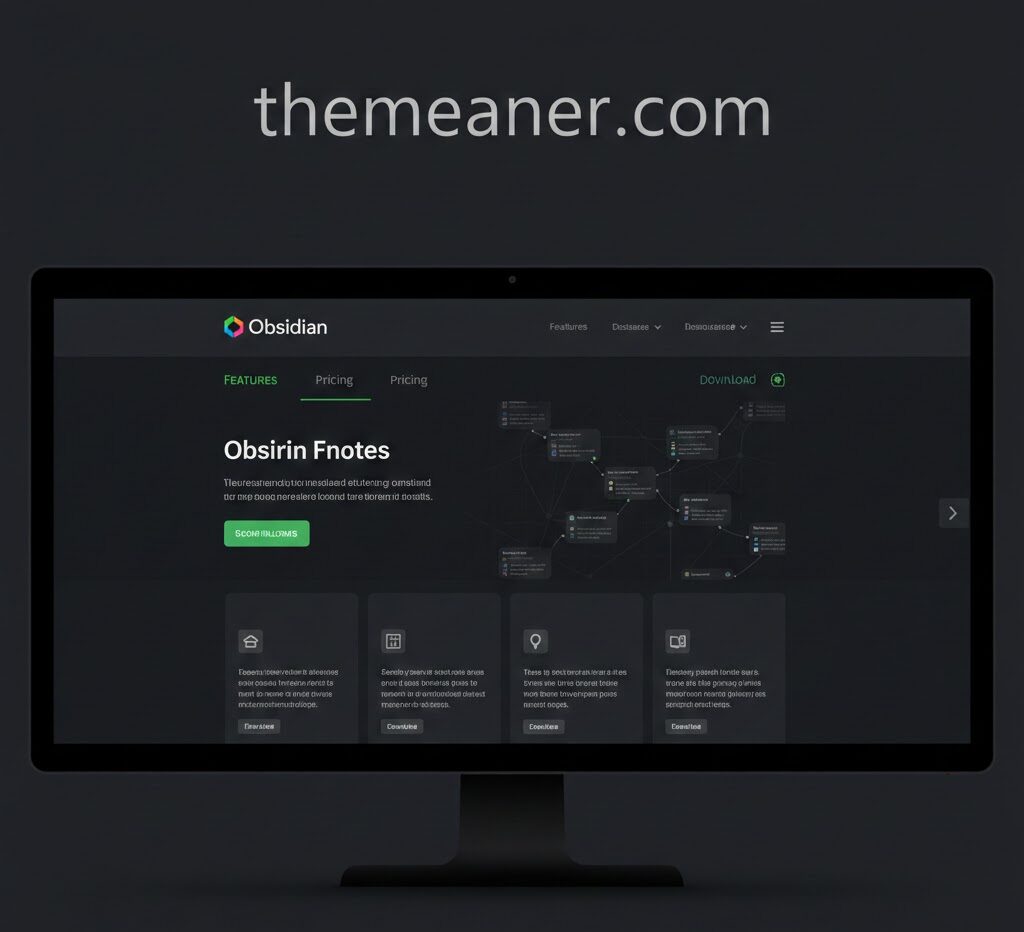
In a world brimming with information, keeping your thoughts organized can feel like herding cats. Enter the realm of linked notes and ideas, where clarity meets creativity. Imagine having a powerful tool at your fingertips that not only captures your thoughts but also connects them in ways you never thought possible. This is where Obsidian Software comes into play. Obsidian isn’t just another note-taking app; it’s an innovative platform designed for thinkers, creators, and anyone who craves structure amidst chaos. Whether you’re brainstorming new concepts or diving deep into research, this software transforms how you interact with your ideas. Let’s explore what makes obsidian software out in the crowded landscape of digital note-taking tools and discover how it can elevate your productivity to new heights.
What is Obsidian Software?
Obsidian Software is a powerful tool designed for note-taking and knowledge management. It offers users the ability to create a personal knowledge base using plain text files, making it both simple and effective. What sets Obsidian apart is its focus on linking notes together. Users can connect different ideas seamlessly, creating a web of interrelated information. This structure mimics how our brains work, allowing for easier retrieval of complex thoughts. Built on markdown formatting, Obsidian supports rich text editing without sacrificing simplicity. Its local storage ensures data privacy while providing easy access across devices. With an active community and numerous plugins available, users can customize their experience to fit unique workflows. Whether you’re a student or professional, this software adapts to your needs with remarkable flexibility.
Features of Obsidian for Note-taking and Idea Organization
Obsidian software stands out with its unique approach to note-taking and idea organization. Its ability to create linked notes transforms the way users connect concepts, facilitating a web of knowledge that’s easily navigable. The Markdown support is another significant feature. This allows for seamless formatting without the distraction of complex menus. Users can focus on content while still maintaining a polished look. Graph view provides a visual representation of your notes and their connections. It’s like having a mind map at your fingertips, helping you see relationships between ideas instantly. Tags enhance organization further. With simple tags, you can categorize thoughts intuitively, making retrieval effortless later on. Customizable templates streamline repetitive tasks and ensure consistency across your notes. This flexibility makes Obsidian adaptable for various workflows and preferences, catering to individual needs efficiently.
Why Choose Obsidian Over Other Note-taking Software?
Obsidian software stands out for its unique approach to note-taking. Unlike traditional tools, it allows users to create a network of linked notes, transforming isolated pieces of information into a cohesive web of knowledge. This feature enhances understanding and retention. Customization is another compelling reason to choose Obsidian. Users can tweak the interface, add plugins, or even build their own themes. It’s like having your personal workspace tailored just for you. Moreover, Obsidian offers local storage options. Your data remains on your device instead of being locked in the cloud. This ensures privacy and control over your content. The community around Obsidian is vibrant and supportive. Resources like forums and shared templates make it easy to get started or find inspiration from others’ setups. Its markdown-based system means you’re not tied down by proprietary formats; this flexibility encourages creativity in how notes are created and organized.
Tips for Using Obsidian Effectively
To maximize your experience with Obsidian software, start by organizing your notes into folders. This keeps related topics together and makes navigation seamless. Take advantage of backlinks. Linking ideas enhances connections and helps in building a knowledge web that’s easy to explore later. Utilize tags for quick access. Assigning tags allows you to filter notes quickly, saving time when searching for specific content. Regularly review and update your notes. Engaging with your material reinforces retention and sparks new insights. Explore community plugins tailored for enhanced functionality. Customizing the software can cater to unique workflows and preferences. Embrace markdown formatting within your notes. It empowers you to structure information elegantly while maintaining focus on writing rather than formatting distractions.
Real-life Examples of Obsidian in Action
One user transformed their academic notes using Obsidian. By linking lecture materials, readings, and personal insights, they created a dynamic knowledge base that made studying more efficient. The interconnectedness of ideas helped them grasp complex concepts quickly. Another professional writer leverages Obsidian to plot stories. They use the software’s graph view to visualize characters’ relationships and plot arcs. This method allows for easy adjustments and encourages creativity as new ideas emerge during brainstorming sessions. A small business owner utilizes Obsidian for project management. Each project has its own vault filled with tasks, deadlines, and client communications linked together. This organized approach keeps everything in one place while facilitating quick access to crucial information. These examples highlight how diverse users can adapt Obsidian’s capabilities to fit various needs while fostering creativity and productivity in their daily lives.
Comparison with Other Note-taking and Idea Organization Tools
When exploring note-taking and idea organization tools, it’s essential to consider how Obsidian software stands apart. Unlike traditional apps that rely on a linear approach, Obsidian uses a unique graph view that visualizes connections between notes. This feature fosters an organic flow of ideas. Other popular options like Evernote or OneNote often emphasize hierarchical structures. While effective for some users, these can stifle creativity and the non-linear thinking many people crave. Furthermore, in terms of customization, Obsidian shines with its Markdown support and plugin ecosystem. Users can tailor their experience extensively—a flexibility not typically found in more rigid systems. Security also plays a crucial role; Obsidian stores notes locally rather than on cloud servers. This gives users complete control over their data—an important factor in today’s digital landscape where privacy is paramount.
Conclusion
Obsidian software stands out as a powerful tool for managing linked notes and ideas. Its unique ability to create connections between thoughts makes it an excellent choice for anyone looking to enhance their note-taking experience. With features like bi-directional linking, markdown support, and customizable templates, users can easily organize their knowledge in a way that suits their personal workflow. The flexibility of Obsidian allows you to tailor your workspace according to your needs. Whether you’re a student trying to manage research papers or a professional brainstorming project ideas, this software offers the tools necessary for effective organization. By leveraging its community plugins and active user base, you can further customize your experience. Other note-taking applications may offer different strengths, but few match the depth of connectivity that Obsidian provides. This is particularly valuable in today’s fast-paced information age where making sense of various topics is crucial. The power lies not just in taking notes but also in how those notes interact with one another. Embracing Obsidian means embracing a new way of thinking about information management—one that’s interconnected and dynamic. It’s more than just software; it’s a platform fostering creativity and productivity through meaningful connections among ideas. As you explore what Obsidian has to offer, remember that finding the right tools often leads to remarkable insights and better understanding within any field or interest area.